
1. Utility Access Details
Utilities & Access
Please provide information regarding utilities on external walls and any access issues.
Fixed Utilities on External Walls (tick all that apply):
Access Issues:
2. Required Photos
Photo Upload
Please upload clear daylight photos. Stand back where possible and include ground level and roofline where you can as seen in the examples.
.png)
Front of Property
.png)
Rear of Property
.png)
Side Elevations
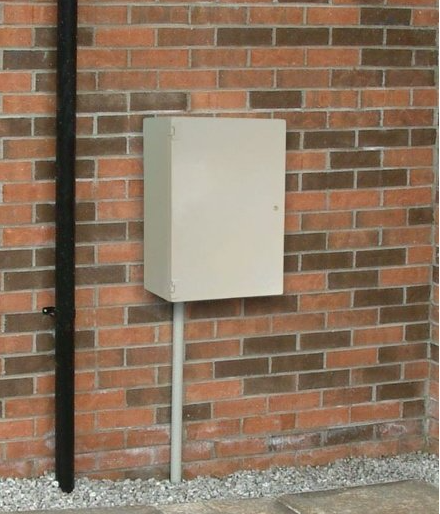
Gas boxed/meters
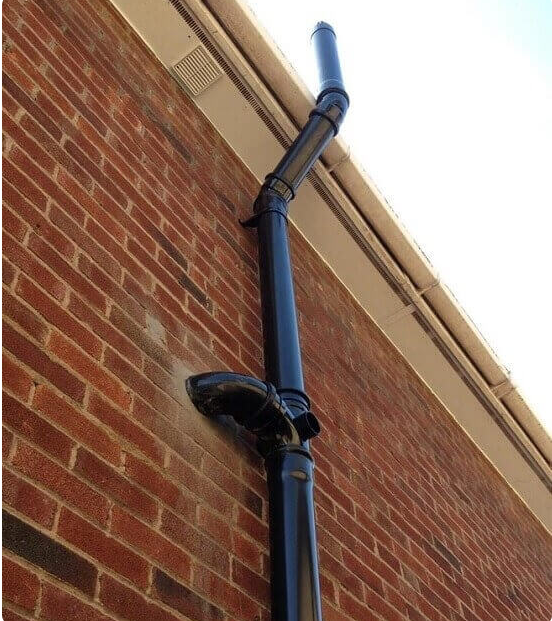
Toilet Stack
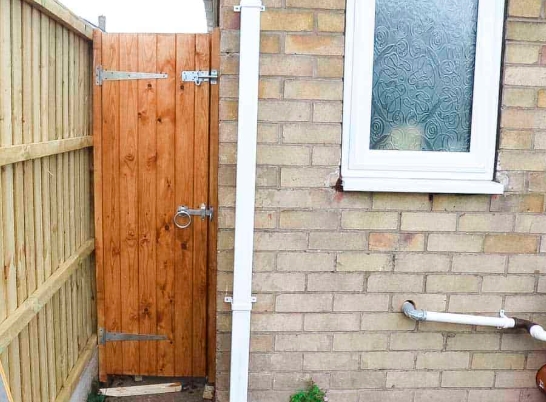
Gates and fences
How to take the required photos
- Clear explanation of what areas/elevations to photograph.
- Guidance on taking clear, well-framed photos (walls, elevations, details, etc.).
- Demo photos are shown above to visually guide you.
Front of Property
Rear of Property
Side Elevations (if applicable)
Gas boxed/meters
SVP (Toilet Stack if on the Wall)
Gates and fences
3. Video Upload
Video Upload & Instructions
For further communication regarding this eSurvey, please provide the appropriate contact information.
How to record the walk-around video
- Record a 1–1.5 minute slow, clear walk-around.
- Show only the elevations where work is required, not necessarily the whole house.
- Include key details: pipework, roofline, windows, problem areas, etc.
- Example walk-around videos are shown above.
Upload a Short Video (Optional)
NOTE:-This process may take some time depending on the file size, Please do not refresh or close the page.
4. Contact Details
Contact Details
For further communication regarding this eSurvey, please provide the appropriate contact information.